
The Desert Sun
USA TODAY Co.News & Magazines
2.969.00 Reviews
- Version
- 8.10.3
- Installs
- 10.00K
- Age Rating
- Everyone 10+
Screenshots
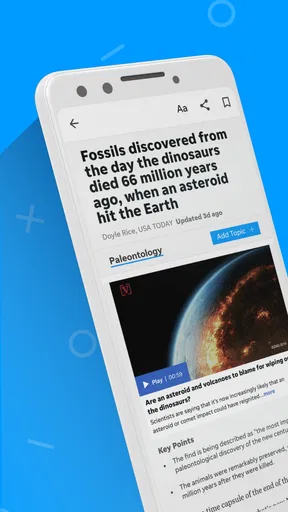

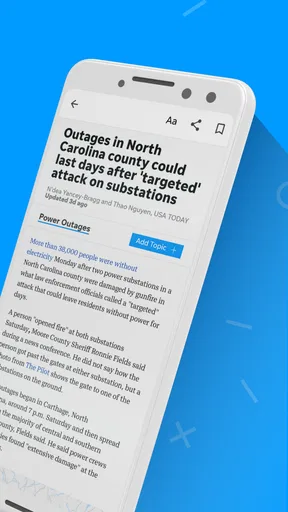

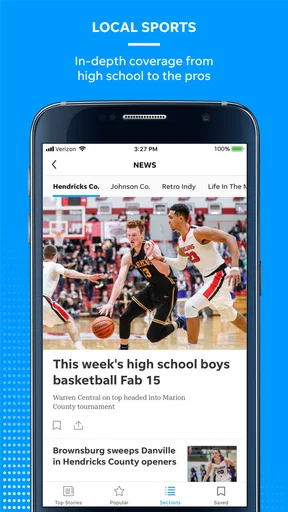
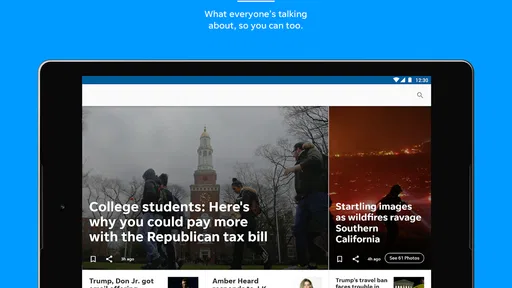
Our Review of The Desert Sun
 Analysis by Appyee
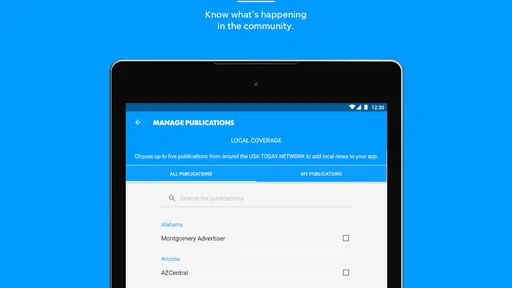
I approached The Desert Sun as a practical local-news app rather than something to open only when a major story breaks. It comes from USA TODAY Co. and sits in the News & Magazines category, with a focus on keeping readers connected to regional reporting while also bringing in wider national coverage. The mix is especially useful if you care about what is happening close to home but still want a broader view in the same reading session.
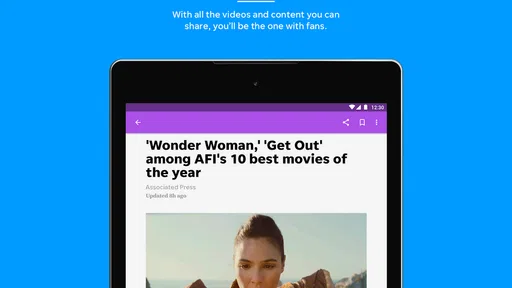
My first impression was that the app makes the most sense for readers who prefer a dedicated news space on a phone. Instead of relying on a general web browser and remembering which publication to visit, I could treat it as a regular morning stop. The presentation also gives visual reporting a meaningful role, with photography and video alongside written stories. That makes it more suitable for people who like to scan headlines, look at images, and watch short news segments rather than read every item from beginning to end.
Getting from installation to a useful first read
I’d use the first session to learn how local stories sit alongside national coverage, photography, and video, rather than trying to explore every corner at once. A quick comparison between one article and one visual story can show which format is most useful for your routine and where you may want to spend your time next.
What to expect before you settle in
The app is free to install, and its age guidance is Everyone 10+, so it is aimed at a broad audience rather than a specialist professional group. There are in-app purchases ranging from $16.99 to $69.99 per item, which is worth noticing before you assume every part of the reading experience will remain free. I would treat the free installation as a way to inspect the app and decide whether its coverage fits your routine, not as an automatic promise that every possible access level costs nothing.
The current version is 8.10.3, and it supports devices running Android 8.0 or later. That makes checking your phone’s operating system a sensible first step, particularly if you are using an older handset. The app has been available since Aug 2, 2012, so it is not a brand-new experiment; it has had time to become an established digital home for this publication. At the same time, its average rating is 2.9 from over 200 ratings, so I would recommend approaching it with realistic expectations instead of assuming the experience will suit everyone.
That rating does not tell me exactly which issue each reader encountered, but it does make one point clear: this is an app to test personally. News apps can feel very different depending on your device, connection, reading habits, and tolerance for subscription prompts. If your priority is local reporting from the Desert Sun area, the editorial fit may matter more to you than a general-purpose news app’s wider range. If you only want a quick national headline digest, a broad aggregator may be more efficient.
Making the first setup less confusing
After installing, I would begin by giving the app a calm first session rather than immediately judging it from a single headline screen. Look through the opening view and identify how local stories, national items, photography, and video are separated or placed together. This small inspection helps you understand whether the app is designed around a continuous feed, a set of sections, or a mixture of both. The important thing is to learn where the reporting you actually want is located before you start tapping randomly.
I also recommend deciding what kind of reader you are before changing anything. Someone checking community news during breakfast should organize the app differently from someone who opens it only for breaking developments or visual coverage. If you mainly need local information, start with those stories and use national articles as context. If you are interested in the publication’s visual work, spend time with the photography and video areas instead of treating them as decoration around the written articles.
Take note of any screen that discusses access or purchases. I would not enter payment details until I had read enough free material to understand the app’s value to me. This is not because the purchase options are necessarily unreasonable; it is because a news subscription is only useful when the publication’s coverage matches your daily interests. A few minutes of deliberate testing can prevent paying for an experience you rarely open.
One useful habit is to keep your first session focused on navigation rather than speed. Open a local article, return to the main screen, try a national story, and then check a visual item. That sequence gives you a better sense of how the app handles different content types. It also answers a practical question many new users have: whether the app is mainly a text reader or a fuller news package. In my view, its strongest identity comes from combining those formats.
Your first meaningful success
The first successful action should be simple: find one local story that matters to your day and finish reading enough of it to decide whether the coverage feels relevant. For example, imagine checking the app before leaving for work. I would scan the local headlines, open the item most connected to my neighborhood or commute, then use a national story or video to understand the larger context. That is a more useful test than merely launching the app and scrolling through whatever appears first.
When I review a news app, I look for whether it reduces the effort between opening the screen and reaching information I can use. The Desert Sun can serve that purpose when local coverage is your main reason for installing it. A regional publication has an advantage over a general aggregator in this situation: its identity is tied to a particular community, while an aggregator may bury local reporting beneath a much larger stream of national and international headlines.
The reverse is also true. If your daily goal is to compare several viewpoints across many publishers, this app may not be the most efficient starting point. A news aggregator or a collection of individual publication apps can offer more variety in one place. You may lose some of the focused local character, but you gain breadth. I would choose this app when depth and relevance in its home region matter more to me than collecting every source inside one feed.
A second worthwhile test is opening a video when you have a stable connection and enough time to watch it. Video can provide useful context when a story is easier to understand through scenes, interviews, or visual evidence. It can also be less convenient than text when you are in a quiet public place or trying to catch up quickly. That trade-off is important: the richer format is not automatically the faster format.
Common points of confusion
The most likely confusion for a first-time user is the difference between installing the app for free and having unrestricted access to everything inside it. Because in-app purchases are available, I would pay close attention to the wording on any access screen. Read what an offer applies to, whether it is a one-time purchase or an ongoing arrangement, and what happens when you move past the free material. A careful pause here is more valuable than tapping through quickly.
Another possible misunderstanding is expecting every item to behave like a short headline card. The app includes written reporting, photography, and video, so the time required can vary. A visual story may invite a slower look, while a text article may be better for a quick update. I found it more useful to choose the format based on the moment: text when I needed information quickly, photography when the scene itself mattered, and video when seeing the event added something that words alone could not.
Readers may also wonder why a local-news app includes national coverage. I see that as a complement rather than a distraction, provided you use it intentionally. Local stories often make more sense when you understand the wider issue behind them, while national news can feel more grounded when read alongside regional reporting. If the national material begins to dominate your routine, return to the local section and make that your starting point. The app works best when you decide the balance instead of letting the first screen decide for you.
The average rating of 2.9 is another reason not to overlook practical testing. A rating is a useful warning that experiences are mixed, but it cannot replace your own short trial. Check how comfortably articles open, whether the visual presentation suits your phone, and whether the available coverage justifies returning. I would be particularly cautious if you need a flawless, instant briefing every morning, because any friction in navigation or access will become noticeable when you are in a hurry.
How I would use it beyond the first day
For regular use, I would build a small routine around a clear purpose. In the morning, I would scan local headlines first, open one substantial story, and then check national coverage only if it connects to the issues I am following. Later, I might return for a video or a photographic report when I have more time. This prevents endless scrolling and turns the app into a tool for informed reading rather than another stream competing for attention.
A useful trade-off is to separate “need to know” reading from “want to explore” reading. Local updates usually belong in the first group because they can affect plans, community awareness, and conversations close to home. Photography and video often belong in the second group, although a visual report can become essential for certain events. Making that distinction helps me avoid spending my entire break watching clips when a short article would have answered my immediate question.
I would also avoid judging the app solely by how much content appears on the opening screen. A crowded feed can look active but still be unhelpful if it takes too long to find the story you need. Conversely, a more focused selection may be valuable if it consistently leads you to relevant regional reporting. The real measure is whether the app earns a place in your routine after the novelty of installation has disappeared.
Compared with reading The Desert Sun through a mobile browser, the dedicated app offers a more direct habit: tap the icon and begin. A browser is better if you do not want another app installed or if you regularly move among many publications. Compared with a general news aggregator, this app is more appealing when local identity and the publication’s own presentation matter. Compared with a video-first news service, it is the better fit when you want written reporting and visual material together rather than video alone.
There is also a practical reason to consider the app for older family members or people who are not comfortable searching the web for news. A single publication-focused destination can be easier to explain than a browser full of bookmarks and open tabs. I would still show the person how to recognize purchase screens and how to return to local coverage. That short introduction can make the difference between a reassuring news routine and an accidental tap through unfamiliar options.
Who should install it, and who should skip it?
I would recommend trying it if you live in or closely follow the region covered by The Desert Sun, value local reporting, and enjoy moving between articles, images, and video. It is also a reasonable choice for readers who want national context without leaving a publication centered on regional news. The free installation makes that trial straightforward, as long as you remain aware that paid items are part of the app’s model.
I would skip it if your only requirement is a neutral, all-in-one headline service covering many publishers and countries. In that case, an aggregator will probably save time. I would also hesitate if you rarely read local news or if you strongly dislike apps that present paid access options. Someone who needs offline reading, highly specialized alerts, or a very specific customization system should investigate whether those needs are met before making it their main news source rather than assuming a regional publication app will cover them.
My final advice is to judge it through a complete mini-routine: open the local coverage, read one article, try one national item, inspect a photograph or video, and review any purchase language before proceeding. That sequence gives you a meaningful answer without requiring a long commitment. The right reason to keep this app is not the number of formats it contains, but whether it reliably helps you understand the place and stories you care about.
For me, The Desert Sun is most convincing as a focused companion for regional news with enough national and visual content to make the experience feel broader than a simple headline list. Its mixed user rating means I would not recommend installing it blindly, but I would recommend a careful trial to anyone who wants local reporting in a dedicated mobile app. If that first reading session leads naturally to a story that informs your plans or deepens your understanding of your community, the app has already demonstrated its most important value.
Verdict
Strengths of The Desert Sun
- Fast access to local news, weather, and community updates.
- Covers Coachella Valley events, politics, and regional issues.
- Clean layout makes articles easy to browse on mobile.
- Push notifications can highlight important breaking stories.
- Useful for staying informed about local sports and entertainment.
Limitations of The Desert Sun
- Some articles or features may require a digital subscription.
- Advertising can interrupt browsing and reduce available screen space.
- Coverage is focused locally, with limited national news depth.
- Notification settings may feel excessive until customized.
- App performance can vary on older Android or iOS devices.
Other Releases by USA TODAY Co.
View All
IndyStar: Indianapolis Star
News & Magazines2.7

AZ Central: Arizona Republic
News & Magazines2.5

The Detroit News: Local News
News & Magazines3.1

Detroit Free Press: Freep
News & Magazines3.0
Similar Picks in This Category
View All
Google News - Daily Headlines
Google LLC4.0

X
X Corp.4.8

Flipboard:Your Social Magazine
Flipboard3.4

Opera News: breaking & local
Opera4.5

Hindi News by Dainik Bhaskar
Dainik Bhaskar Group4.0

Way2News Daily News App
Way2News ( Formerly Way2SMS )4.6
Frequently Asked Questions
What is The Desert Sun app?
The Desert Sun is a news application focused on delivering local and regional reporting, with coverage typically centered on communities, events, politics, weather, business, and lifestyle in the Coachella Valley and surrounding desert areas. After installing it, users can browse the latest headlines, open full articles, and follow developing stories from a mobile-friendly interface rather than relying only on the newspaper’s website.
Is The Desert Sun free to download and use?
The app can generally be downloaded without an upfront charge, but access to all articles may depend on the publication’s subscription and paywall policy. Some stories may be available to everyone, while frequent reading or premium content can require a digital subscription. Before downloading, check the current in-app terms, subscription prices, trial conditions, renewal rules, and cancellation instructions shown in your region.
What type of content can I read in The Desert Sun?
The app is designed for readers who want local journalism rather than only national headlines. Content may include breaking news, local government, crime and public safety, education, sports, entertainment, community updates, opinion, weather, and special investigations. The exact sections and article availability can change over time, so the app is most useful for readers interested in the desert communities covered by the publication.
Does The Desert Sun app send notifications?
Yes, the application may use push notifications to alert readers about breaking news, major local developments, special reports, or other selected updates. Notifications can be useful if you want immediate awareness of important stories, but they may become distracting depending on how frequently they are sent. You can usually manage notification permissions through the app’s settings or your Android or iOS system settings.
What should I check before downloading The Desert Sun?
Before installing The Desert Sun, confirm that your device meets the current Android or iOS requirements and that you have enough storage for the app and its updates. Review the publisher name, privacy policy, permissions, subscription details, and recent user feedback in the official store. Also consider whether the app’s local coverage matches your interests and whether a paid subscription is required for regular access.
